One inbox for Instagram and Messenger
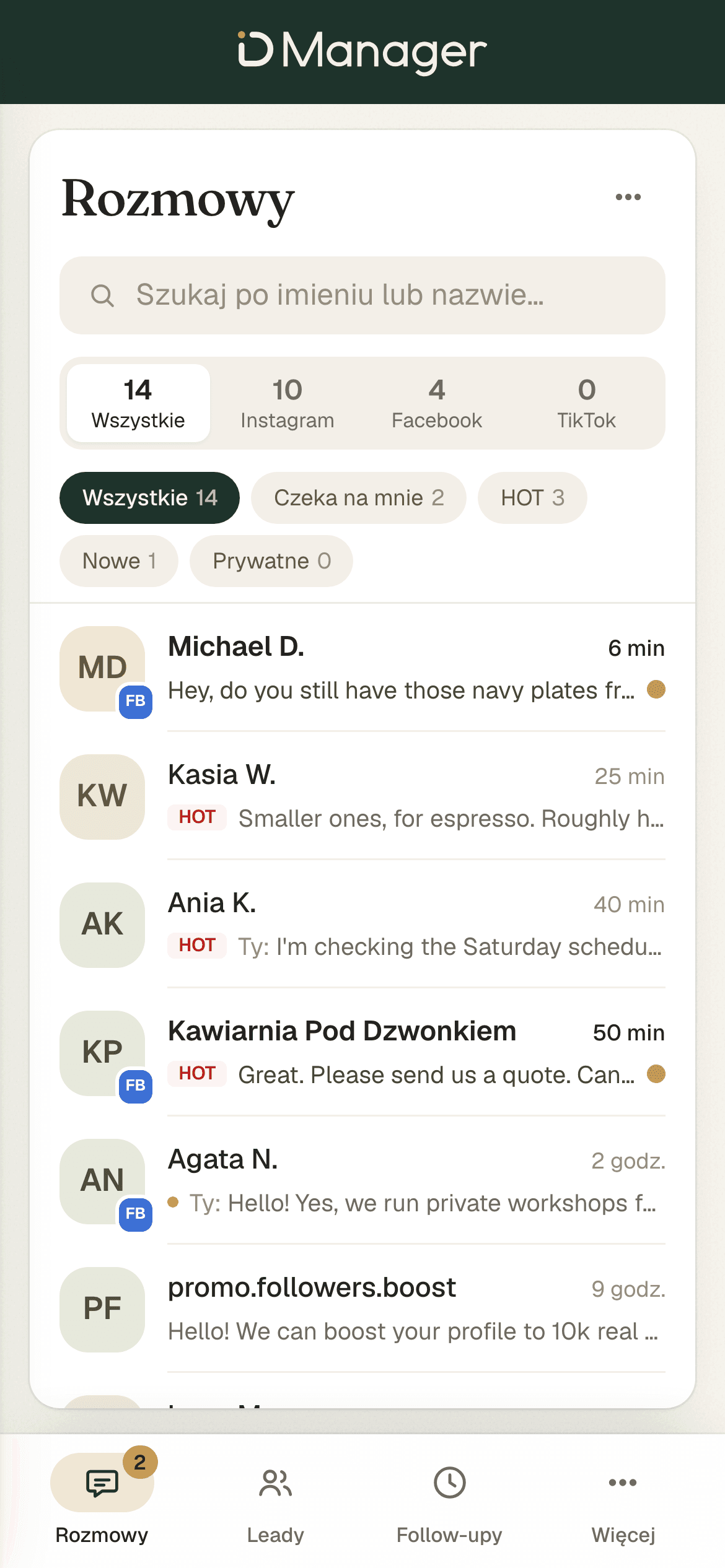
All your conversations are in one place, with filters and search. TikTok shows up here too, with one caveat: TikTok itself limits private messages.
D Manager writes the replies to your customers' Instagram and Messenger messages for you, in your style. You send each one with one click.
A question about price gets lost among story reactions. You reply two days later, or not at all.
A customer writes in the evening, when they have time. You reply in the morning, when they no longer remember what they asked.
You check the inbox at work, at dinner and before bed. And you still don't know which conversation matters.
Every screenshot below comes from the real panel, filled with demo data.
All your conversations are in one place, with filters and search. TikTok shows up here too, with one caveat: TikTok itself limits private messages.
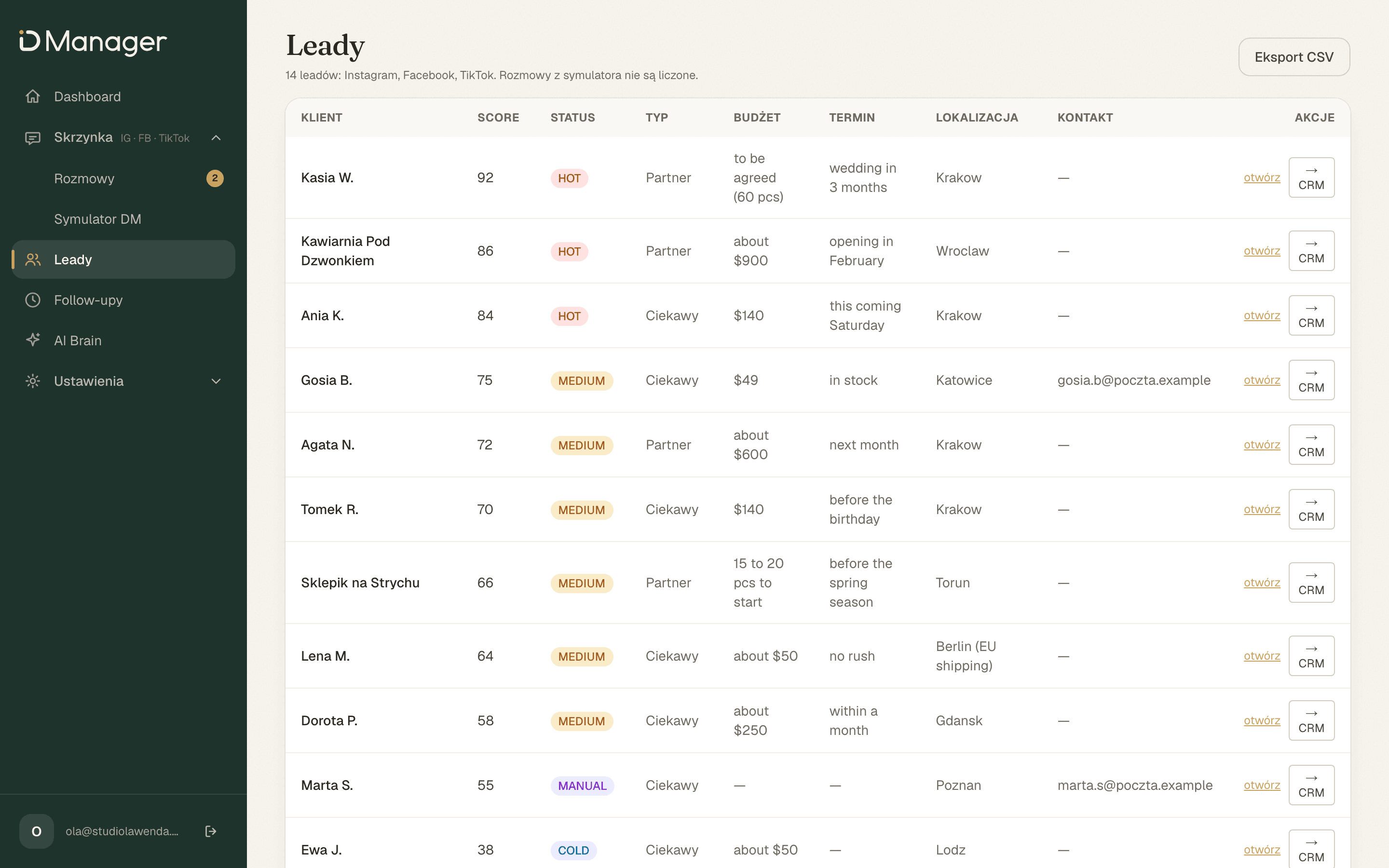
Every conversation with a customer gets a score and a status. The lead list puts the highest scores at the top, so you see at once who to answer first.
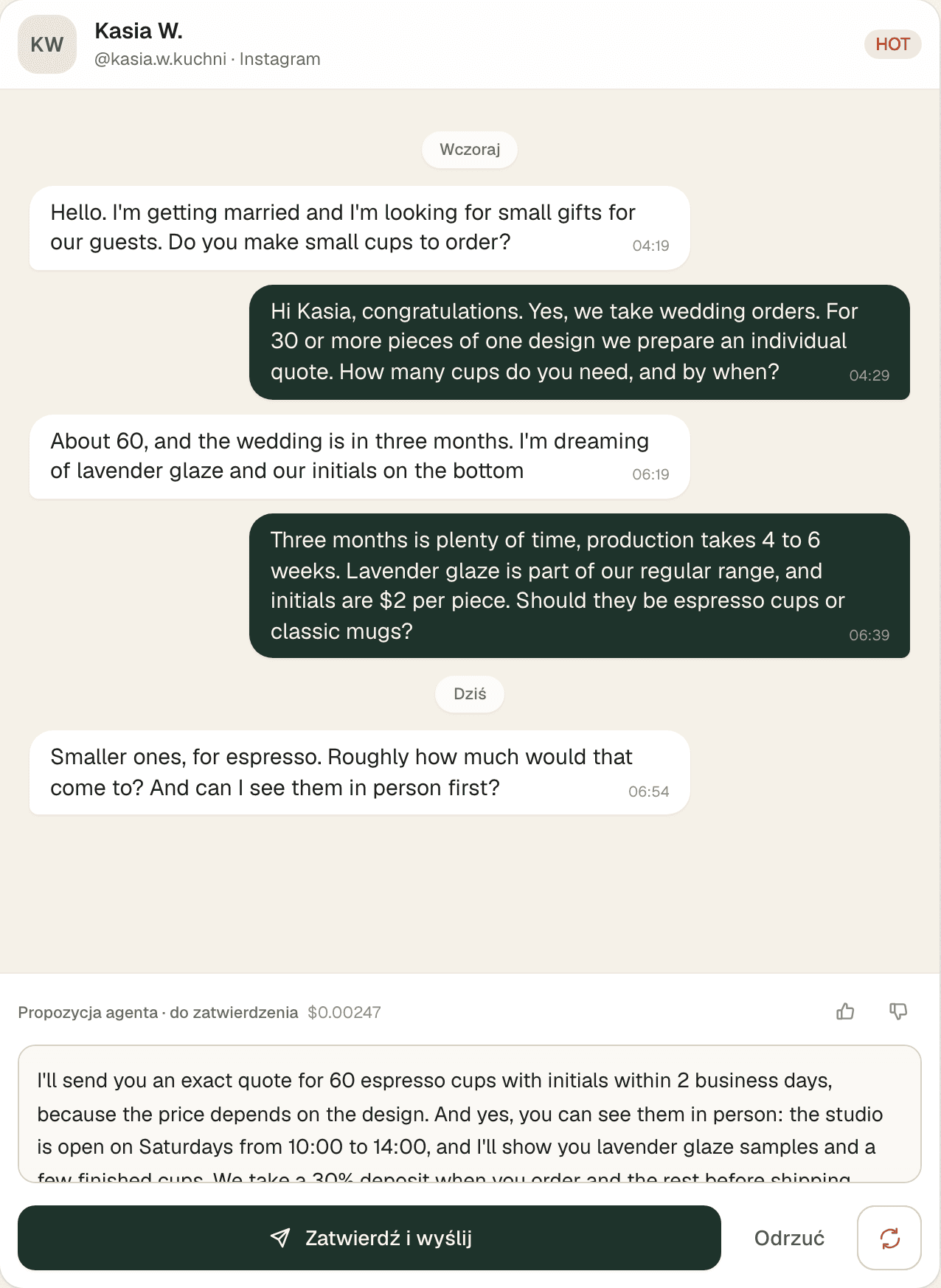
92/100Kasia W.'s score in the demo conversation
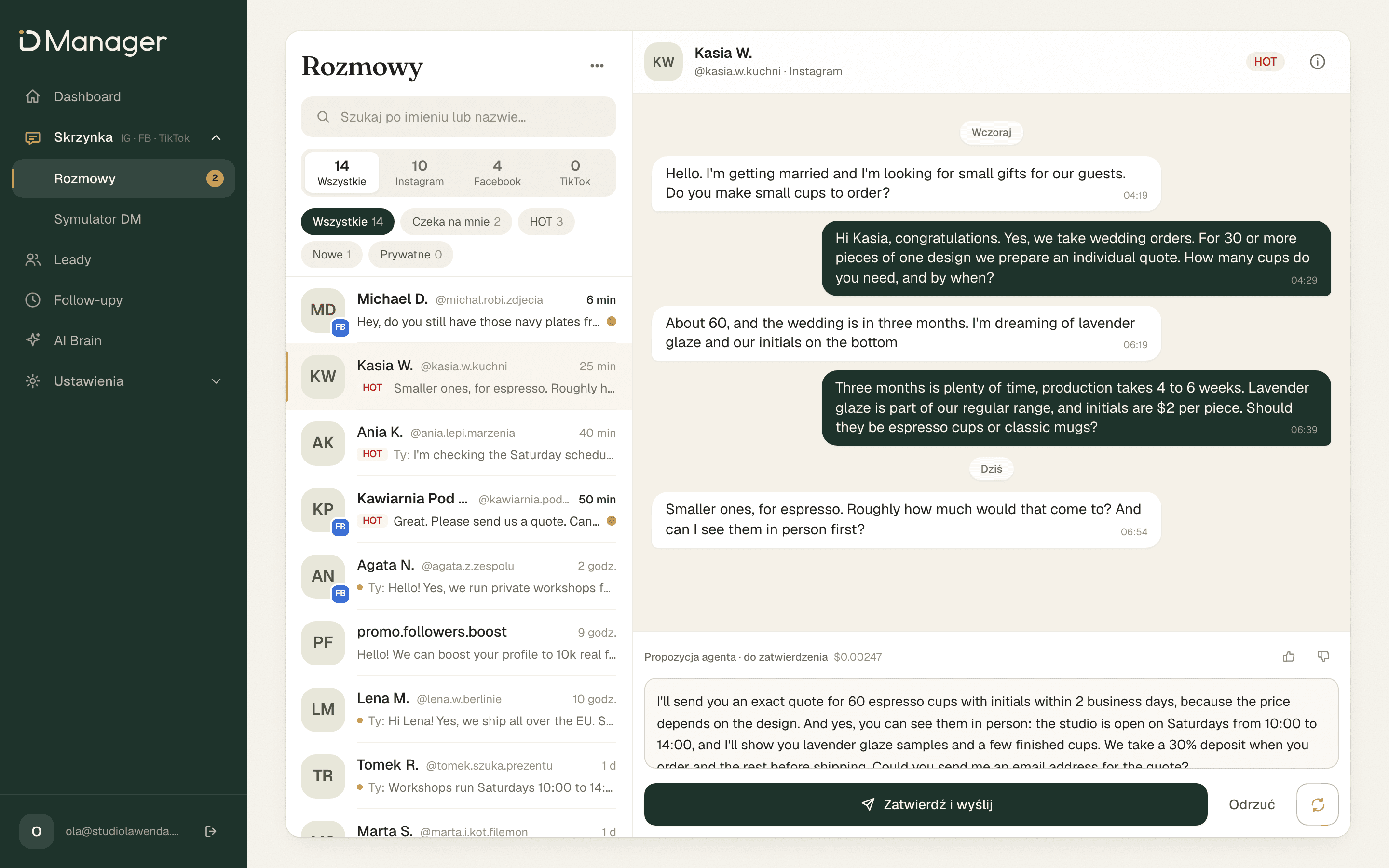
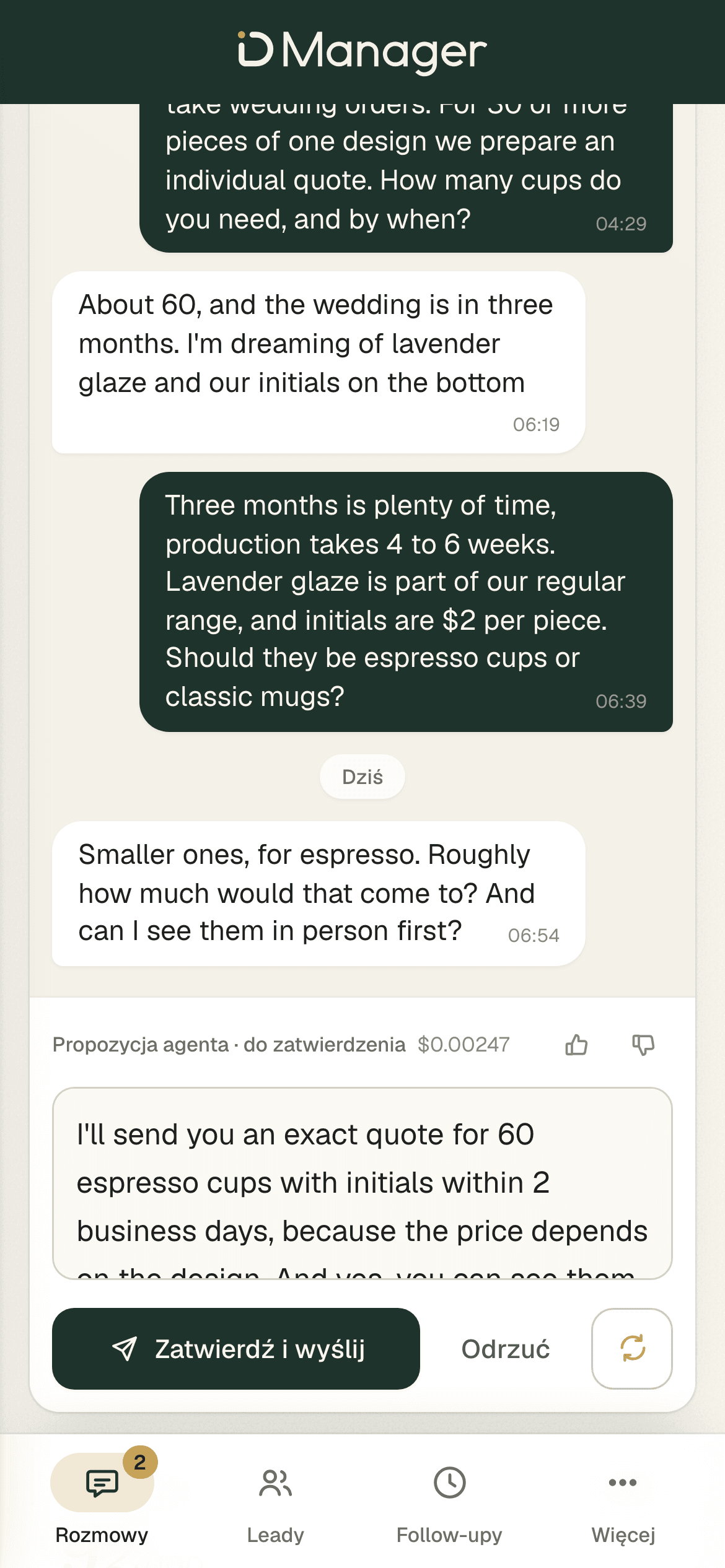
When a customer writes, the agent writes a ready reply for you, the way you write to customers. It also writes the follow-ups, and the public reply to a comment along with the private message that goes with it. The facts come from your knowledge base.
By default every reply in a conversation waits for one click from you: approve, edit or reject. You can switch on automatic sending in settings. Hot leads never get an automatic reply. They always wait for you.
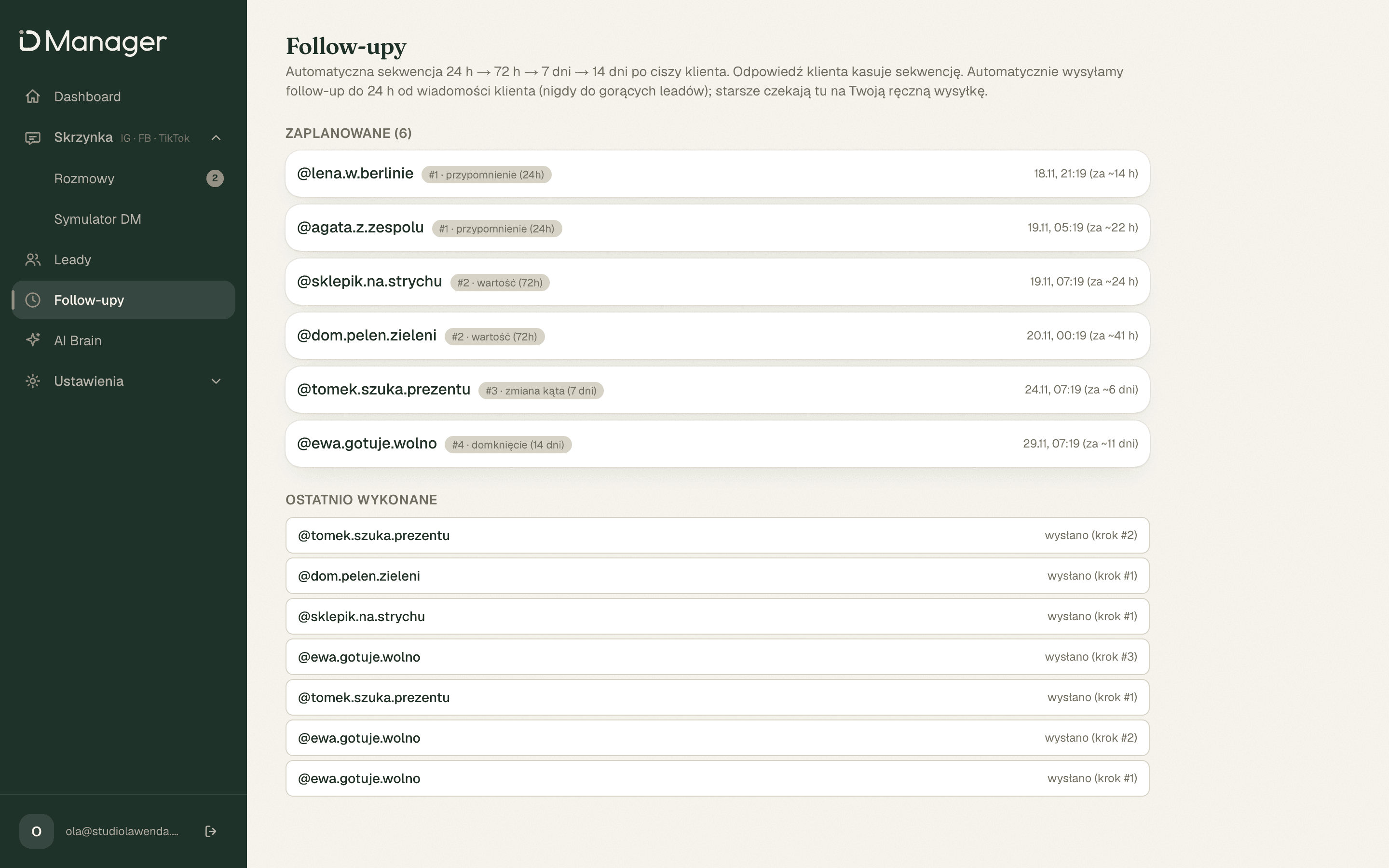
The agent prepares a follow-up after 24 h, 72 h, 7 days and 14 days. Within 24 h of the customer's last message it sends the follow-up on its own. After that it leaves a draft for you. It never sends a follow-up to a hot lead on its own. A reply from the customer cancels the sequence.
A comment under a post becomes a conversation
When someone asks a question in a comment, the agent replies publicly and sends a private message that refers to the post. The conversation lands in your inbox.
A notification when a hot lead appears
Once you turn notifications on, your phone lets you know when a hot lead appears. You check the other conversations when you have time.
A compliance check on every draft
Before you see a draft, it goes through a check. No promises of profit or guarantees, no legal or tax advice, no asking for a phone number or email address too early.
It learns your business from your corrections
The agent answers from your knowledge base, which you edit in the panel: your offer, prices, common questions. It learns your style from your corrections and replies.
Your correction to a draft, a draft you approved and a reply you wrote by hand become style examples for the next drafts.
A thumbs up on a draft makes the agent keep its phrasing. A thumbs down is only a rating.
A question the agent could not answer from the knowledge base is flagged as a gap. You fill it in the panel.
A customer writes in the evening. The agent writes a ready reply for you, in your style, and scores the lead. You approve with one click.
The three screens you'll use most.
Scroll sideways to see the whole screen.
A message from Instagram or Messenger lands in one inbox in the panel.
It reads the conversation and writes a reply for you, in your style, based on your knowledge base. It scores the lead from 0 to 100.
Approve, edit or reject. Only then does the reply go to the customer.
99 USDper month
Cancel anytime.
Online checkout isn't live yet.
One inbox, a score for each lead and a draft ready to approve.
Start for 99 USD / month